BioRender 全新 AI 功能
讓你「用說的」畫出科學圖!

還在為怎麼畫研究流程圖傷腦筋嗎?

可以試試 BioRender 新推出的 AI 功能,只要簡單輸入文字,就能自動生成科學插圖與流程草圖,還能再依需求進一步編修,省時省力。

小編實測,4步驟輕鬆搞定,一起來看看吧。


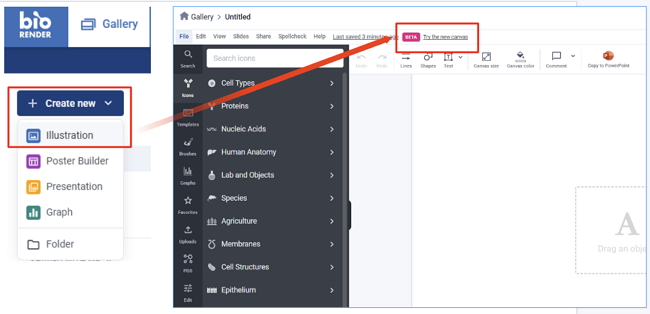
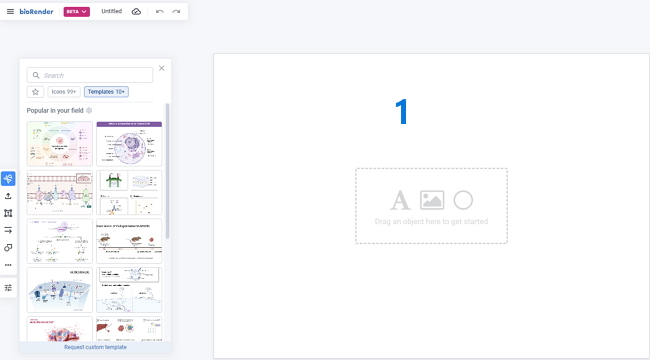
1. 開啟 BioRender 全新介面 ( BioRender Canvas )
 開啟新的 Illustration,切換到新的介面「Try the new canvas」

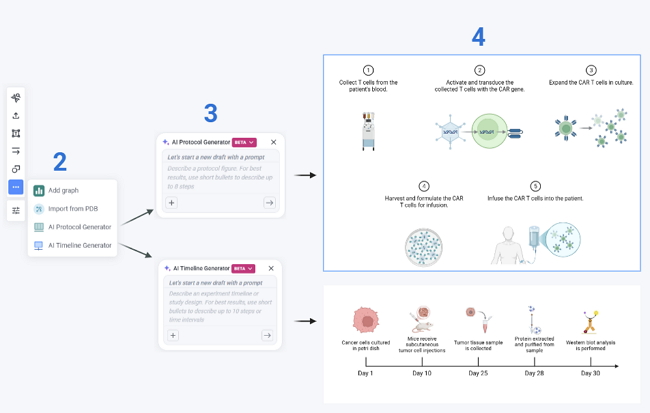
2. 選擇 AI 生圖工具
 點左側選單,選擇 「Protocol Generator」或「Timeline Generator」

3. 輸入你想畫的內容 ( 英文 prompts )

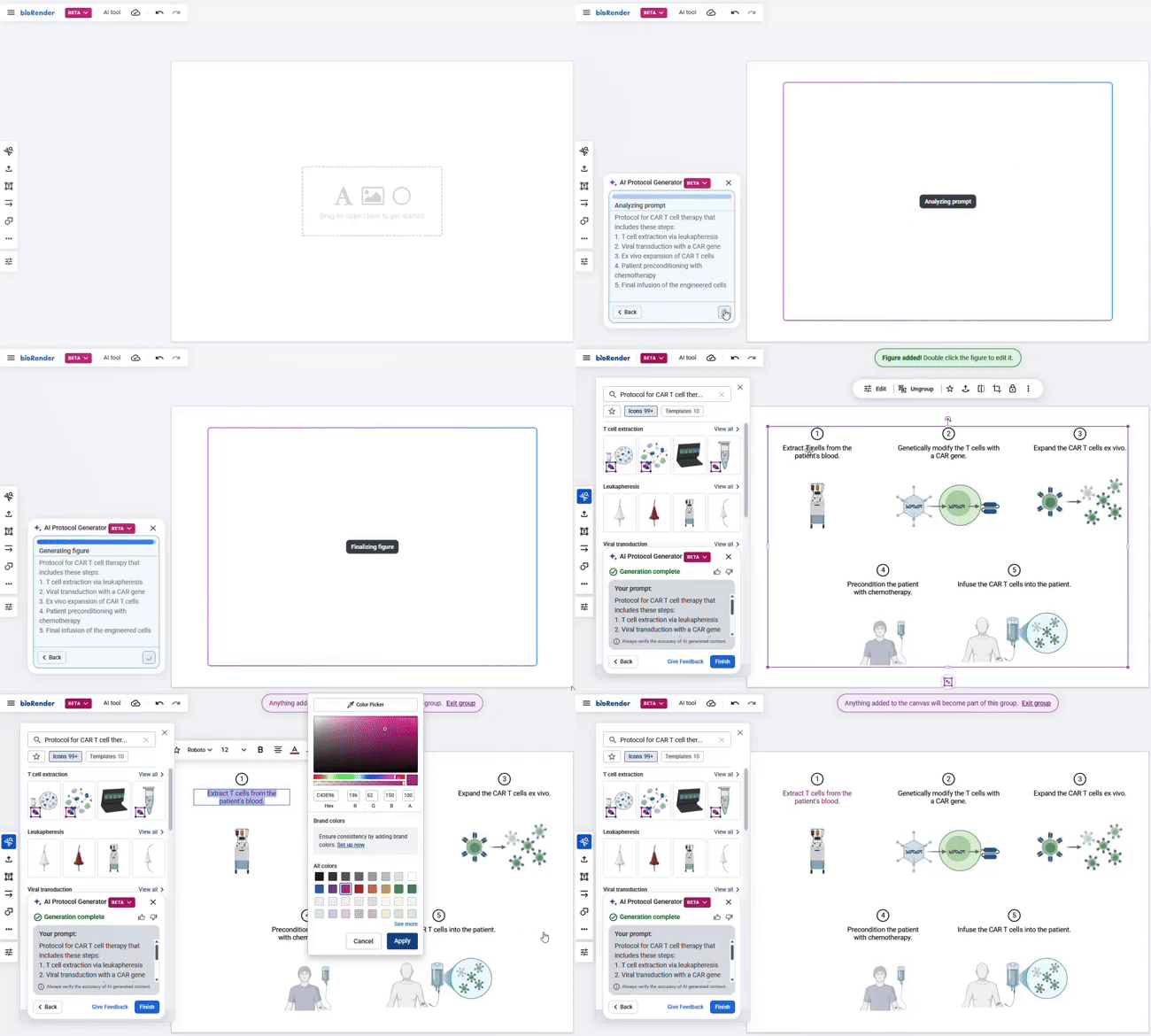
4. 調整圖示內容
 系統生成的草圖,你可以依需求進一步修改圖示、文字、顏色與版面配置。


以文生圖,Try it!


》》Examples for AI Protocol Generator

Protocol for CAR T cell therapy that includes these steps:
 1. T cell extraction via leukapheresis
 2. Viral transduction with a CAR gene
 3. Ex vivo expansion of CAR T cells
 4. Patient preconditioning with chemotherapy
 5. Final infusion of the engineered cells
 

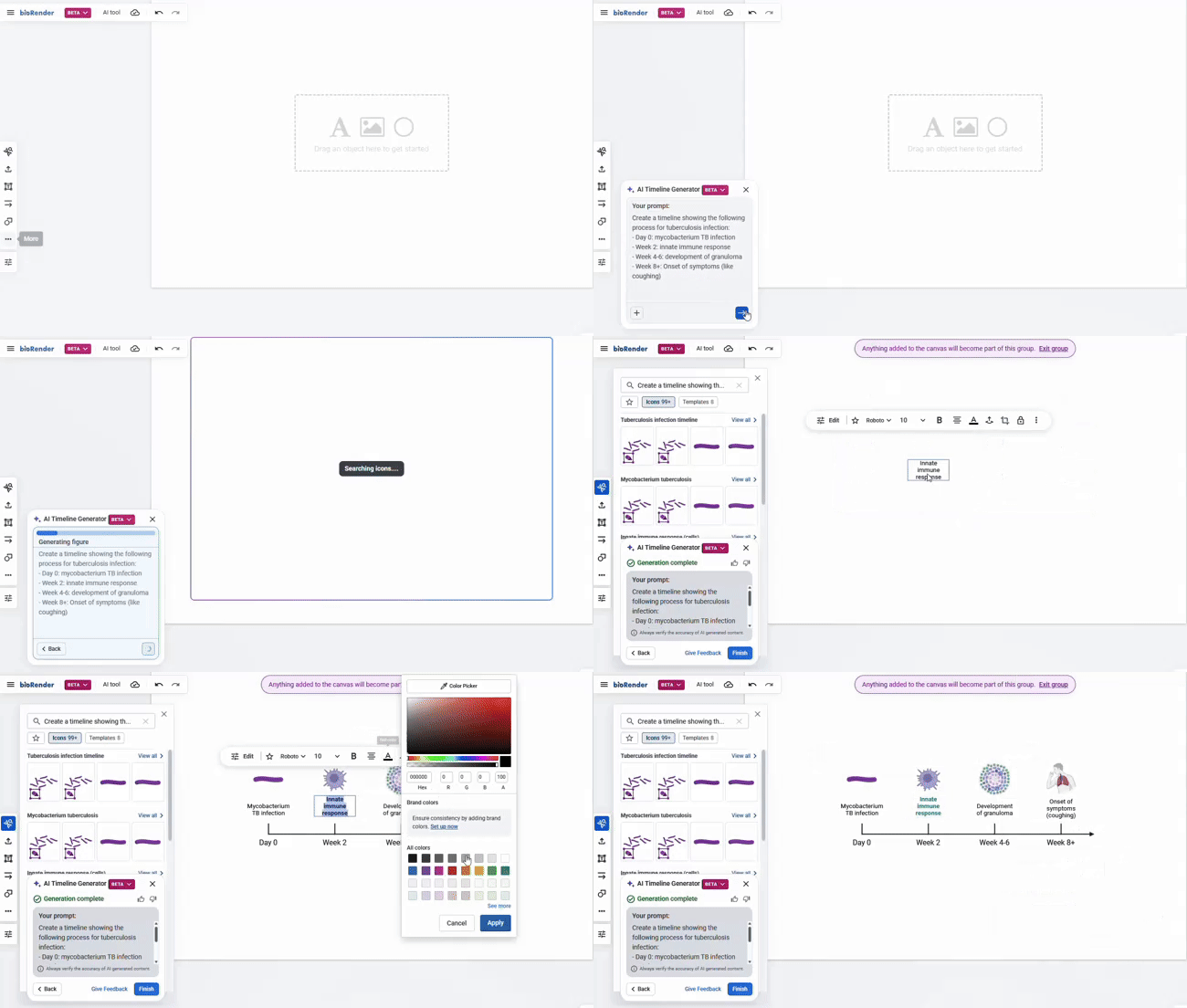
》》Examples for AI Timeline Generator

Create a timeline showing the following process for tuberculosis infection:
 - Day 0: mycobacterium TB infection
 - Week 2: innate immune response
 - Week 4-6: development of granuloma
 - Week 8+: Onset of symptoms (like coughing)
 

How to Prompt

掌握小技巧,就能讓 BioRender AI 幫你快速產出「看起來就很專業」的圖

  1. 加標題,更聚焦
    eg. CRISPR gene editing workflow; Mouse vaccine study timeline

  2. 用條列列出步驟(最多 8 點)
    不需要很完整的句子,像這樣也可以:
    - Design guide RNA
    - Prepare donor DNA template
    - Transfect mammalian cells with CRISPR components

BioRender AI 會根據你輸入的內容,自動搜尋相關的圖示與範本,即便某些圖型尚未完全支援,也會提供相近的圖像元素,幫你快速完成草圖。

進一步請點連結看官網說明

目前此 AI 功能僅限 BioRender 訂戶獨享。
如果您已是訂戶,不妨現在就來試試看吧!

 
Follow Us On
 

國家衛生研究院圖書館
National Health Research Institutes, library

苗栗縣竹南鎮350-53科研路35號
http://library.nhri.edu.tw  (037)206166#33646

Hours: Mon-Fri. 9:0017:00, Sat-Sun. Closed

E-mail:
library@nhri.edu.tw

訂/退閱 back issue